Showing posts with label photography. Show all posts

Sunday, November 2, 2014

App Processed Phone Camera Photography


Part of our professional development this year was a workshop with the photographer Sam Krisch who showed us the art....yes, art... of phone and tablet app processing of phone photography.   The above examples are some I did on the day of the workshop, and the evening after, because it was so addicting I couldn't stop. But please look at his iPhone Adventures page on his website to see his app processed work. I am particularly blown away with the nude in nature. Her skin glows as if he had painstakingly processed it with full software.

If you haven't investigated phone and table app photo processing, or wrote it off as kitsch, prepare to be wowed. Just like artists, app coders have the overwhelming urge to share their creations and it is inevitable that the more people that jump in, the more sophisticated they become. I'm guessing that how I feel about app processing is similar to what gamers feel. It is a combination of your decisions and the decision of the computer. You have to relinquish a certain amount of control and be open to the surprises. You make decisions, the app adds its ideas, you respond, the app responds. It's an adventure. Just like any adventure, you want some control, but still want to be surprised and challenged. And sometimes you arrive at a place that takes your breath away.

Think of the apps as Photoshop Actions that others have written and you have downloaded. These apps do everything from adjusting hue and levels, to adding vignettes (which you can sometimes control with a slider) to blurs and frames. Some apps allow more of your input, like Snapseed, a free app available for both iPhone/iPad and Android that has sliders for adjusting the amount of an effect. Other apps are like a collection of Actions that you can't adjust midway.

Sam started by doing a wonderful curating activity with us. He had printed hundreds of his square format iPhone app-processed photos, some in duplicate and laid them out on several long tables. Our challenge was to curate a collection of 6-8 photos that are unified in some way, and then share our choices and our reasons.  This activity alone is well worth hiring Sam as a visiting artist in your school because he comes with all those beautiful prints, but he also demonstrated using the apps, switching from app to app, talking about his decisions. In a longer workshop he also helps with the process, and leads critiques.  You can certainly do a curating project without Sam, but I highly recommend including the curating step and use printed photos that really show the beauty of the images.

Discuss composition with students before jumping into the process. Without conscious composition you will have a lot of students liking their photos for the effects alone and they'll spend hours on poorly composed photos. I plan on having my students take the photos and placing the best composed ones in a separate folder before ever touching the apps.

Sam uses an iPhone and iPad and was gracious enough to allow me to share his recommended list of apps.  I presently use the Android platform (But, I am about to switch to an iPad because my Samsung tablet is slow and sometimes apps crash.) The list below is a combination of what Sam recommended and what I recommend.  As you search for new apps yourself, the ideal ones are those that allow you to process images you have already taken (vs. capture only) and save in the original, or very  high resolution so you can create the beautiful prints (unlike Instagram, for example).  Many apps have a free, or almost free version with some options, but provide in app purchasing add-ons for a wider range.

Sam's suggestions for iPhone and iPad, more functionality on the iPad:

Snapseed, free
Laminar Image Editor   $. 99
Camera+    $2.99, could be free with coupon from Apple Store ad
Hipstamatic capture only $1.99
AutoStitch, also available for Android, $1.99
Old Photo Pro,  free
Pixlr-o-matic, also for Android,  free
Image Blender, $2.99
Pro HDR, also for Android, $1.99
Pic FX, $1.99
Mextures, $1.99

Ones I've tried for Android. Some of these can save your work at a higher res if you use the tablet version. But my tablet couldn't handle them. Time for a new tablet.

Snapseed, free
Old Photo, Free
Image Blender Intrafusion, free
Litho, also available for iOS, $.99
Pxlr Express, free
Vignette, $1.66
Aviary, also available for iOs, free
Afterlight, $.99

I'm pretty sure I'll be updating this list. Please share your favorites with me in the comments. Visit The App Whisperer and  iPhone Photography School for more ideas, updates and tutorials.


Monday, December 24, 2012

New Inspiration for Photoshop Hoaxes


Hoax Photoshop work can get tedious to those of us who have to grade it. If you introduce the concepts of surrealism and narrative art you can get more thoughtful work. This set of flickr photos by J.R. Benzel (Justin Benzel) should be a good starting place to inspire your students. The one above is titled: "Handheld Teleporter Blues".

This would be easy to do with Photoshop. Demonstrate cutting and pasting, adjusting the light of the new pieces to match the original, and then how to use the clone tool.

Saturday, October 6, 2012

The Student Teacher and the Paper Crane

Being a student teacher is overwhelming, I remember. I had a student teacher the first half of last year who showed great courage, innovation and was open to all I had to share.  He had a lot of enthusiasm, energy, a positive attitude, and, well...youth.  He has an MFA in painting, but of course, he had to come up with digital lessons for me.  With very little experience with photography, he came up with a lesson that was very successful.  [Note: Our dedicated classroom server crashed last year and the images are now lost in the great ether of memory. Some students were actually listening to me and backing up their work, but until I track them down or do this again, there is no example at this time.]

One of the challenges of teaching is how to add enough surprises and variety to keep the students motivated and excited, while at the same time not creating anxiety with too much to think about, and my student teacher pondered all those.

He came up with the idea of taking the students away from the computers for a little bit to make large white origami paper cranes out of the large 80# drawing paper. Origami paper cranes, the little exercise that seems to have a meaningful connection to humans, the subjects of great children's books and legends, still a subject of contemporary art.  The students got to practice their listening skills, because if you don't pay attention, the crane doesn't turn out right. And they laughed and got to know each other a lot more than just sitting at their computers.  

These paper cranes were now the subjects of their next black and white photo assignment that was simple and elegant: The paper crane must be in one of the rule of thirds power points or grid lines. You must have conscious and interesting lighting effects and shadows, with one being strong sunlight, one being soft, diffused sunlight,  and one being artificial lighting .  (Large white paper cranes make good subjects for demonstrating lighting.) And you must use interesting angles of view. 

I think giving them all a predetermined subject that was portable and cooperative created great innovation and enthusiasm and every student was successful.  This lesson idea is a keeper. 

Thursday, January 21, 2010

More Painting with Light

You may want your students to take part in The Carrot Revolution's collaborative project of images created with open shutters and some flashlights. The deadline for entries is March 1st and you should register your class ahead of time. Visit their website for more info. You may also want to follow the Carrot Revolution blog, as well as read this NPR article about the project with student examples.  I plan on taking part and will post my students' examples soon. For some more info on light painting, check out this earlier DAE blog post

Monday, July 13, 2009

Contemporary Photographers

If you need a source for showing examples of contemporary fine art photographers, who are truly pushing the envelope, go to the Photography Now website (slogan: "a way to connect your creative vision with the world at large...the internet's premiere site dedicated to people seriously interested in contemporary and classical photography.")

My favorite page is the "More Contemporary Artists" page. Check out MaLiang who combines theater, and aged photo effects, and Julia Fullerton-Batten who directs and creates elaborate images that play with scale or movement, or repetition. John Manno has some new ideas for shooting still lifes and objects, and Keven Erickson has found beauty in motion blur.

Tuesday, March 3, 2009

Inspiration for Photography Teachers

The Center for Fine Art Photography is a site to visit for inspiration for themes and images for photography projects (maybe skipping over some of the nudes for K-12 students...). For example, the current exhibit is "Idea of Self". Past exhibitions were "Negative Space", "Our Environment: The Good, the Bad and the Ugly", another is "Interactions", "On the Edge", "After Dark". I'm drawn to this site because here photography is art, not commercial, and creativity is welcome. If you live near Ft. Collins, Colorado, then you are lucky to be able to attend their workshops.

Thursday, June 26, 2008

Photography Scholarship to NANPA Summmit

The North American Nature Photography Association gives student scholarships to their conference every year. It includes workshops in the classroom and in the field as well as critiques. It does not cover airfare, or food and supplies ($300). The applications are due October 6, 2008 for the February Summitt in Albuquerque.

Tuesday, May 20, 2008

Ansel Adams

Adams is an inspiration not just because of his photographs, but also his zest for life with no boundaries. You understand what I mean if you've read his autobiography. Don't miss this NY Times web article with sound byte interviews about him. This is another website with sound from the San Francisco Museum of Modern Art. PBS has a movie about him as well.

Really, next time you need some inspiration to do anything, read his autobiography. When you finally put it down you will feel like you can accomplish anything. You probably won't want to put it down until you reach the end, but it is not very thick, so it makes a great weekend retreat.

Can't Get Enough?

Check out Cameraporn's 60 Photography Links You Can't Live Without

Saturday, April 26, 2008

Flower Photography Tips


The above photos were all done by my students. These are the techniques I require them to try:

1. Flower photography is very much like portrait photography. Be aware of the effect of lighting and shadows. You can use the spot healing tool the same way you would for a portrait, if you are looking for perfection.

2. Try holding a stiff black background (like black presentation board, or black foam core board) behind the flower, even with natural lighting.

3. Drops of rain or dew are magical on a flower, but a spray bottle of water can be used if you don't feel like getting up in time for the dew.

4. Get to know your macro...but don't always use it. Understand depth of field and use both shallow and deep.

5. The most convenient angle is also probably the most boring.

This lesson and other Advanced Photography lessons (lessons for the second semester) are on my Teachers Pay Teachers site.

Monday, March 31, 2008

Essential Photography Books


When I was first given the opportunity to teach digital photography, I had to head to the bookstore. My last college photography class had been 1979. I had taken 3 levels of photography and had worked as a photojournalist in my mid-20s, but remembering how I was taught the essentials was packed away somewhere in the attic section of my brain.

My digital photography curriculum is a combination of photography essentials (composition, lighting, point-of-view, expression, topics) and Photoshop. During the warm weather months we focus on those photography topics (which would apply to film as well) and then, obviously, during the months with nasty weather, we focus on Photoshop and studio photography. And, as you probably have discovered, there are no books that I have run across that cover both topics well, which is understandable. And for that reason, I do not use a text book.

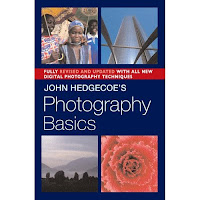
The majority of the photography part of the curriculum came from two fantastic books, John Hedgecoe: The New Manual of Photography: A Definitive Guide to Photography in Every Format, and his more basic one, John Hedgecoe's Photography Basics. I recommend both, because you can use a lot of the chapters from his Basics directly in the classroom. The Definitive Guide takes more careful thought about what is too advanced or non-essential for your students. I remembered him from college. I loved his book on filmmaking. He writes so beautifully and from the perspective of an artist, not a tech geek. And, they are visually exciting books, as well.

Here are just a partial list of sub topics in his chapter called, "The Art of Good Photography Composition" (Definitive Guide): The selective eye; placing the subject in the frame; using diagonals; circles; frames within frames; selecting a viewpoint; linear perspective; using shadows; texture, pattern, and quite a few more. He has another complete chapter devoted solely to color.

So, if, like me, it's been a long time since you took that photography class, consider these two books. There are many others that cover more specific or advanced photography topics, but these are the best essentials for the art of photography.

Saturday, December 29, 2007

Photo Contests

Outdoor Photographer magazine's Winter Photo Contest is for anyone 18 and older and is free (unless I missed something in small print...) The deadline is February 20th.

Their Magical Adventures contest deadline is January 4th.

Eliot Porter and Robert Ketchum

If you haven't opened up your January 2008 issue of Art Education yet, you'll be happy to see that the instructional resource center pullout is: Eliot Porter and Robert Glenn Ketchum: A Conversation on Color, Composition, and Environmental Conservation. Although recommended for grades 5-7, it is certainly a great idea for higher grades.

In addition, there is a nice interactive site designed for student learning from the Amon Carter Museum (in Fort Worth, Texas) : http://www.cartermuseum.org/edu_guides/porter/

A discussion of the two photographers on outdoorphotography.com http://www.outdoorphotographer.com/content/2006/dec/form_function.shtml

Robert Glenn Ketchum's website: http://www.robertglennketchum.com

And the book: Regarding the Land: Robert Glenn Ketchum and the Legacy of Eliot Porter


Tuesday, December 4, 2007

Short and Sweet Photography Tips

This idigitalphoto blog page has a wonderful list of tips to share with your students. It's called "Improve Your Photos 60 Seconds at a Time" (referring to how long it takes to read each category).

Tuesday, November 27, 2007

Layers Magazine


Layers Magazine is a nicely designed magazine for Adobe Creative Suite products (Photoshop, Illustrator, Indesign, Flash, Dreamweaver as well as digital photography.) What I like about it is that the purpose of the magazine content is education, not enticing you to buy more stuff. They also provide many tutorials online.

Friday, November 23, 2007

Chris Jordan's Photography Art

You may have seen Chris on television recently explaining his "activist" images. Upon closer look at his art and replicas of famous art, you see that they are made of small images that represent the protagonists in our culture. For example, his version of Seurat's ...La Grande Jatte is made up of 106,000 photos of aluminum cans, which equals 30 minutes of U.S. can consumption.

http://www.chrisjordan.com/ (Choose the Running with Numbers gallery to see the Seurat image)

I see his work as an exemplar for a project using art for activism.

Thursday, November 22, 2007

Website to Visit

Have you discovered John Paul Caponigro's photography site? http://johnpaulcaponigro.com/

In addition to his gallery of surreal composite photos (good examples for a surrealism project), he has some informative interviews with professional photographers and artists in his "Artists on Art" section. I plan on having my students read and comment on one of those interviews every month or so.

He is a workshop photography educator and he has included some helpful writings and mini lessons available in his Download section. If you subscribe to Insights you get access to more than if you don't.

Wednesday, November 21, 2007

More Forgotten Information

Boy, I seem to be thinking of a lot to say, this first day of the blog...

One thing I did not include in your CD were handouts for a couple studio projects that we did to get the students away from the computers, and to introduce them to other art forms in case this is the first art class they've taken in a long time. This only works if you have a lot of available space away from the computers, like an empty room.

These are the two we did last year: Handmade photo album, using mixed media and the japanese method of binding. Arylic painting based on one of their photos using the grid method to enlarge onto their paper. I can see using a black and white photo to learn to value tone drawing.

Other teachers wove photos together, for example. Here's a David Hockney inspried montage lesson: http://www.princetonol.com/groups/iad/lessons/high/cubismphoto.htm Please share any ideas you have.