Showing posts with label photoshop. Show all posts

Tuesday, June 11, 2013

Monday, December 24, 2012

New Inspiration for Photoshop Hoaxes


Hoax Photoshop work can get tedious to those of us who have to grade it. If you introduce the concepts of surrealism and narrative art you can get more thoughtful work. This set of flickr photos by J.R. Benzel (Justin Benzel) should be a good starting place to inspire your students. The one above is titled: "Handheld Teleporter Blues".

This would be easy to do with Photoshop. Demonstrate cutting and pasting, adjusting the light of the new pieces to match the original, and then how to use the clone tool.

Saturday, October 27, 2012

Have You Discovered This Yet?


The Free To Use group on Flickr.  The above is from Becky F.  'Nough said. 


Sunday, September 30, 2012

Maggie Taylor: A Photoshop Master

Adobe Photoshop Master Class: Maggie Taylor's Landscape of Dreams

Seems like I'm catching up on making sure I share all my favorite books. I have done a Maggie Taylor project for several years with my Photo II and my Computer Graphics I students. Taylor is magnificent and she is an official Adobe Master.  She's married to the great photographer Jerry Uelsmann who creates amazing surreal photography in the traditional darkroom, but she has fully embraced Photoshop as her darkroom. Her work is intriguing. She does not tell concrete stories, but has snippets of connections to memories, leaving you wondering what the story could be.

The way I approach this project is that I ask my students to remember, or ask a family member to tell them, a family story. We discuss how family stories morph over the years and how surreal they almost seem. The students must then collect images that will help tell the story and use blending modes, tinting, and brushwork like Taylor does to pull it all together.  The results that I've had have been beautiful, and some of them very moving. Last year a student's image had two men in a boat on a humongous wave, with beautiful Photoshop brushwork creating a dark and stormy, frightening scene. I don't ask about the story until the end, and we all were aghast when she explained that her father and uncle failed 3 times to escape North Vietnam in a small row boat. Each time they were caught and imprisoned. The fourth time they succeeded, and she and her siblings were born here in the US.

My lesson plan for this project is now available on Teachers Pay Teachers.

Sunday, February 13, 2011

Taking Digital Art to the Next Level


Digital Art Revolution, by Scott Ligon (Watson-Guptill) is a very enjoyable and inspiring book of  creative digital art ideas, theory  and instructions. The intro chapter, "Welcome to the Revolution" makes it clear that it is written with an artist's perspective, not that of a technician who has found some neat tricks, and the chapter about "Finding Your Own Voice" has many great ideas to include in discussions of problem solving and creative thinking. It covers both compositing and painting techniques with examples from a wide variety of digital artists, covering many styles, making this real "eye candy".

Thursday, December 3, 2009

10 Places to Find Photoshop Courses, Tutorials, and Lessons Online

from guest blogger, Karen Schweitzer

Artists who are interested in learning how to work within the Adobe Photoshop program or increase their current skills can obtain a free education online. There are many different sites that provide Photoshop courses, lessons, and tutorials to self-learners. Here are 10 no-cost education resources to explore in your free time:

Photoshop Basics Course - This free About.com course guides students through the basics of Adobe Photoshop. The self-paced course can be taken online or delivered in installments via email.

CreativeTechs 6-Month Photoshop Course - Artists who are interested in learning something new or refining their Photoshop skills can join this free worldwide course that is already in progress. New classes are held each week and take approximately two hours to complete.

PhotoshopCAFE Tutorials - PhotoshopCAFE provides free tutorials that teach artists how to add texture, complete photo projects, work with text, create designs for the web, and much more.

PhotoshopStar - PhotshopStar offers a nice selection of free Photoshop tutorials for intermediate to advanced users. The site also pays artists who submit their own tutorials.

PhotoshopRoadmap - Most of the free tutorials on PhotoshopRoadmap are geared toward pros who are trying to learn advanced techniques, but the site also hosts a few essential tutorials for beginners.

Photoshop Support Tutorials - This popular site offers a wide range of tutorials for various versions of Photoshop, including Adobe CS, Adobe CS2, Adobe CS3, and Adobe CS4.

Psdtuts+ - Part blog/part Photoshop site, Psdtuts+ is a good place to find free tutorials, articles, and videos. The site also hosts a helpful wiki with more than 100 articles.

Pixel2life Tutorials - Pixel2life, which hosts one of the largest collections of free tutorials on the web, caters to graphic designers and webmasters who are seeking a free education. Site users can learn from current tutorials and submit their own to earn free advertising and prizes.

Free Photoshop Book - This free, no-strings-attached Photoshop book includes 25 essential lessons for beginning and professional Photoshop users. The lessons include handy techniques, time-saving tools, practical applications, shortcuts, and other useful information.

Basic Photoshop Lessons - Utah State University offers three free online lessons for students who are trying to learn the basics of Photoshop. Each lesson includes a useful handout, practice exercise, or assignment.

Guest post from education writer Karen Schweitzer. Karen is the About.com Guide to Business School. She also writes about online degree programs for OnlineDegreePrograms.org.

Sunday, September 6, 2009

Portrait in Contrasting Colors


This is similar to what Andy Warhol created with his multiples silkscreens, so you can use him as an exemplar if you want, and add steps of painted lines as well. I guess you could also use Shepard Fairey for a more contemporary exemplar and instead of multiples, add some words. This would be a good time to explain the process of silk screening so they understand how the originals were made.

1. Students take photos of friends, of if you use images off of google, choose "large" under options. It should be at least 200K.
2. Open image in Photoshop. Image>Adjustments>Threshhold. (Move the slider to get the right amount of detail. You might need to choose a different image if you can't get good detail.)
3. Select>Color Range. Use the eyedropper on the image to select black (not on the thumbnail showing). You should see the "marching ants" around the black areas.
4. Choose a foreground color. Edit>Fill>Foreground color
5. Select>Inverse
6. Choose second color (complementary or near complementary). Edit>Fill>Foreground color
7. Tweak your colors using the Select tools learned. Select>Deselect. File>Save As
8. To make multiple variants, just use Image>Adjustments>Hue/Saturation and save each as new name.
9. Arrange them on new document that is a size you can print. But first check the resolution of the original image (Image>Image size) and make your new document the same resolution. Open, Select>All, Copy and Paste Use Edit>Transform>Scale to resize each layer. Crop. Students can continue to adjust colors even at this stage.

I have additional Photoshop lessons for high school students on my Teachers Pay Teachers site.

Saturday, July 11, 2009

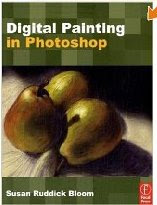
Another Useful Book--Digital Painting in Photoshop


This book definitely crosses over into the realm of Photoshop as an artform, instead the Photoshop cool tricks (boring!) arena...even though you might think some of the finished examples are a little cheesy. Get past that and the techniques are very interesting and useful.

This book is perfect for educators (as well as traditional illustrators who find their clients can't always pay for the time for traditional media illustrations). Screenshots are extremely effective and this book has a lot of them. Most young people are very visual, and of couse, all artists are. I spend lots of extra hours creating screenshots for my students after realizing how effective they are as a teaching tool.

If you are dipping your toes into painting with Photoshop, this book is a great start if you already understand basic Photoshop. It is much better than searching for online tutorials, which half the time are not clearly explained, and the physical book makes for a great reference to keep going back to.

The techniques described are not what you would find just by applying a filter or two. The author spent many hours experimenting with techniques that now you don't have to spend hours figuring out yourself. Whether or not you think all the finished examples are inspiring works of art doesn't matter. These techniques are very useful and I plan on teaching several to my students.

I also enjoyed the respectful discussions of traditional media. I for one would always prefer to use real pastels...when I have a lot of time, but, it would be a huge mistake to not address this digital art form. After all, it still takes an artist to turn these techniques into exciting works of art.

Don't worry, if you are a well-trained artist, your finished products will not look like you were a non-artist who thought Photoshop turned you into an artist, and I especially think that any serious art student who plans on majoring in illustration, graphic design, animation, or art history really needs to be exposed to this aspect of Photoshop.

Tuesday, May 6, 2008

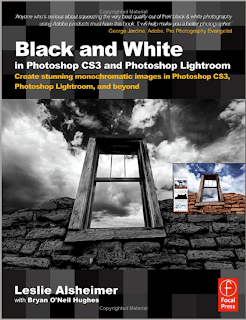
Focal Press Book: Black and White in Photoshop CS3 and Photoshop Lightroom


This is now on my list of highly recommended books for digital photography educators. Leslie Alsheimer has a wonderful, comforting, sometimes lighthearted tone to her writing. Her ability to communicate shows that she is an experienced teacher. She teaches digital photography workshops in Santa Fe. And she is a very inspiring photographer as well. She obviously took great care in preparing every chapter and choosing every photo. This is a book by an artist, not just someone who has expensive equipment and likes to take photos and work in Photoshop.

I have not only improved the quality of my own photography after reading this book, but I find myself remembering many of her tips when the time comes to approach a subject with my students. If you are an intermediate to advanced user of Photoshop, you will still find new ideas here. I especially appreciate that she starts right off by discussing workflow instead of making it an afterthought.

I had trouble putting the book down. And when I was done, I realized I had learned as much about color digital photography as black and white. You don't necessarily need the CS3 version to use this information, and Lightroom is a small part of the process.

By the way, I love Lightroom. How in the world did I manage all my photos before?

Friday, March 7, 2008

Sequential Art Project


My digital photography students have enjoyed a sequential art project where they turned a story idea into photos, the photos into comic-book style art and then created a few pages of a comic book. Above is an example of a frame I did. The steps are pretty easy:

1. Open a photo in Photoshop and adjust it in Image>Adjustment>Levels so that you have no more than about 15% as shadow areas, paying particular attention to reducing dark shadows in key areas, like faces. (Unless you are going for the dark, mysterious, detective style of comic art).
2. Unlock the background layer.
3. Filter>Sketch>Stamp (make sure the default colors are black and white).
4. Select>Color Range. Choose the white. Then hit delete to make all the white areas transparent.
5. Make a new layer UNDER the stamp layer.
6. Paint on the bottom layer, so that the color shows under the black and transparent stamp image.
7. Add your talk bubbles on separate layers so you can move, flip or scale them. (Talk Bubbles are hiding in the library menu for freeform shapes: choose the shape tool, in the top toolbar choose the freeform shape, choose the arrow at the top for the library of more shapes you can add, find TalkBubbles). Type your dialog using a comic-book style font.

(Some students experimented with other filters to create a slightly different illustration style.)

My students started with a story board sketch. After the above steps they placed them on a new page and added black boxes behind each frame (to look like black borders) and made a title frame.

This idea has so much potential. It's a way to add story-telling into your curriculum. The original idea actually came from an English teacher at my school who had attended a workshop on incorporating sequential art making as a form of storytelling.

Comic Life is a sequential art-making software that has layout templates, style filters, comic-style fonts, i.e. short cut software perfect for this project. This software came free with iMacs for awhile (not sure about this year's iMacs), but is very inexpensive to purchase: http://plasq.com/comiclife So, if you are collaborating with an English teacher who doesn't know much about Photoshop, Comic Life may be the perfect answer.

My lesson plan for this project (using In Design for the layout, but you could use Photoshop for the layout just as easily) along with other projects in on my Teachers Pay Teachers site.

Monday, February 18, 2008

Solarizing Digital Photos


This is one of the easiest projects to do. I throw it in between a couple very difficult projects to give my students a breather. There always a few that say, "Of all the projects we've done this one is my favorite!" And then I think something like, "But, I put a lot more work into some of the other projects." You could also do it near the beginning of the year, but you might be glad to have something easy and fun to do in the middle of the winter blahs.

These examples were done by two of my students. I included two versions of the eye so you can see the differences determined by what blending mode you choose. The top eye photo started with normal, natural colors, but this process shifted the colors and added interesting textures in the shadow areas.

Its so easy I can tell you how to do it right here:
1. Choose a well-composed color digital photo and open it in Photoshop.
2. Copy the layer and name the top layer "Solarize" (On the Layers palette, drag your layer over the little icon to the left of the little trash can.)
3. Filter>Stylize>Solarize (make sure the fill and opacity are at 100%)
4. Image>Adjustments>Hue/Saturation and play with the sliders to get interesting effects.
5. Now play with the Blending Mode choices (on the Layers palette) to blend the two layers together in interesting ways. It's ok if you think "normal" is actually the best one.

Have your students do it to two different photos so that they remember the steps.

If you were not at my workshop and would like the handout with all the visuals (example and screenshots), email me.

Sunday, January 6, 2008

Not Cheesy

Last week, one of my students was looking through one of the many Photoshop wow-'em books I have in the classroom. We have actually done some of the projects. The student said, "You know Mrs. Pfeiffer, a lot of these examples are really cheesy. They actually aren't very good." She wasn't trying to make herself look superior, she was just giving me her honest opinion. I wanted to say, "Yea, sometimes I think you don't need much actual art training to publish a book on making art on the computer, these days." But, I just said something like, "Yea, I bet you can do better than him..."

So, today I went into Barnes and Noble and just as I was about to give up finding a truly inspiring book, I found this: Creative Photoshop: Digital Illustration and Art Techniques, by Derek Lea. I would say as a whole, it is for advanced students who have taken 2D art classes as well, but you can teach parts of his involved projects to beginners. I find it very inspiring and I suspect it is very appealing to hip young visual culturally literate teens and college students. My 14-year-old has already spied it and said "OH COOL!" and is actually sitting down and really studying it. I haven't shown it to my 20-year-old who is majoring in Communications Design in college. I think he'll say the same thing...or maybe "Awesome". Three-quarters of the book is more appropriate for a computer graphics, or advanced 2D class than for digital photography, because it is mostly illustration, but some of it does involve photography.

Derek Lea is a popular illustrator, not just a computer nerd who likes Photoshop, so this is real eye candy. Here's a link to the book in the Amazon-run bookstore I arranged for us:

Tuesday, December 18, 2007

Layers Project


This is always a favorite project with my students because there are always surprises and many creative possibilities.

In Photoshop, the student copies the layer and then applies a different filter to each layer. Then he uses the blending modes to find the best blend. He adds a new empty layer for some Photoshop brushes (I suggest a new layer for each brush). I require that the students do the project twice (with two different images, of course) so that they really explore the possibilities. Also, when learning Photoshop, I've found that doing a project twice makes the process stick in your long-term memory better and, of course, pushes the level of quality up, since during the second attempt they are more fluent and fluid.

If you are on my email list, I will be sending you the handout for this.

Tuesday, November 27, 2007

Layers Magazine


Layers Magazine is a nicely designed magazine for Adobe Creative Suite products (Photoshop, Illustrator, Indesign, Flash, Dreamweaver as well as digital photography.) What I like about it is that the purpose of the magazine content is education, not enticing you to buy more stuff. They also provide many tutorials online.

Thursday, November 22, 2007

Website to Visit

Have you discovered John Paul Caponigro's photography site? http://johnpaulcaponigro.com/

In addition to his gallery of surreal composite photos (good examples for a surrealism project), he has some informative interviews with professional photographers and artists in his "Artists on Art" section. I plan on having my students read and comment on one of those interviews every month or so.

He is a workshop photography educator and he has included some helpful writings and mini lessons available in his Download section. If you subscribe to Insights you get access to more than if you don't.