
Sunday, October 11, 2009
Painting with Light
Here is a great lesson idea from Photoshoplab: how to add dramatic lighting to otherwise dull photograph. It is based on one of my favorite books, Welcome to Oz: A Cinematic Approach to Photoshop, by Vincent Versace. This page has screenshots that your students can follow to get the effect.


Saturday, October 10, 2009
We all Scream for Screenr
All those demos we do...now we can record them to share with others, or to post for our students as a reminder....without buying software. Screenr is free and brings us up a few notches in impressive digital teaching methods.
"Screenr is a web-based tool that lets you create screencasts without installing any software. You just click the record button and your screen activity is recorded along with narration from your microphone. Screenr then publishes your screencast in high-definition Flash format. Screenr makes it easy to share your screencast on Twitter, YouTube or anywhere else on the web. Even iPhone users can view your screencast."
This also shines a whole new light on distance learning. I have many artists asking me how to adjust photos of their artwork in Photoshop (also necessary for AP students) and we try to schedule workshops for them to attend, but some travel a couple hours to get to the workshops. This will be my first Screenr (other than the little test I did).
If you create a Screenr for a lesson demo, please let me know and I will post it here for you to share with the rest of us.
"Screenr is a web-based tool that lets you create screencasts without installing any software. You just click the record button and your screen activity is recorded along with narration from your microphone. Screenr then publishes your screencast in high-definition Flash format. Screenr makes it easy to share your screencast on Twitter, YouTube or anywhere else on the web. Even iPhone users can view your screencast."
This also shines a whole new light on distance learning. I have many artists asking me how to adjust photos of their artwork in Photoshop (also necessary for AP students) and we try to schedule workshops for them to attend, but some travel a couple hours to get to the workshops. This will be my first Screenr (other than the little test I did).
If you create a Screenr for a lesson demo, please let me know and I will post it here for you to share with the rest of us.
Sunday, September 6, 2009
Portrait in Contrasting Colors


This is similar to what Andy Warhol created with his multiples silkscreens, so you can use him as an exemplar if you want, and add steps of painted lines as well. I guess you could also use Shepard Fairey for a more contemporary exemplar and instead of multiples, add some words. This would be a good time to explain the process of silk screening so they understand how the originals were made.
1. Students take photos of friends, of if you use images off of google, choose "large" under options. It should be at least 200K.
2. Open image in Photoshop. Image>Adjustments>Threshhold. (Move the slider to get the right amount of detail. You might need to choose a different image if you can't get good detail.)
3. Select>Color Range. Use the eyedropper on the image to select black (not on the thumbnail showing). You should see the "marching ants" around the black areas.
4. Choose a foreground color. Edit>Fill>Foreground color
5. Select>Inverse
6. Choose second color (complementary or near complementary). Edit>Fill>Foreground color
7. Tweak your colors using the Select tools learned. Select>Deselect. File>Save As
8. To make multiple variants, just use Image>Adjustments>Hue/Saturation and save each as new name.
9. Arrange them on new document that is a size you can print. But first check the resolution of the original image (Image>Image size) and make your new document the same resolution. Open, Select>All, Copy and Paste Use Edit>Transform>Scale to resize each layer. Crop. Students can continue to adjust colors even at this stage.
I have additional Photoshop lessons for high school students on my Teachers Pay Teachers site.
Wednesday, August 12, 2009
Let the Party Begin!
It's that time of year again. We are either looking forward to the new school year, or are filled with anxiety... OK, sometimes a little of both. I want to give some advice to all of those who will be new to digital media this year and to their more experienced colleagues:
1. Don't feel insecure about how much you don't know yet. It is OK to be just a week, or sometimes just a day ahead of your students while you learn. You have a lot to learn. As a matter of fact, I think it's a great idea to let your students know. High school students in particular love to think of themselves as adults, and nothing is better for their ego than to know more than a teacher. If you let the students know you are also learning this along with them, some who are a little farther along than you make great resources when you need help, and are great teacher helpers when too many hands are raised asking for help. Also, all the students in the class will be more forgiving of your mistakes and backtracks if they know you are learning just like them. I usually have at least one student who is more of an expert in something than I am in every class, thank goodness.
2. Be flexible, if something isn't working, don't feel like you will look like a dufus if you say something like, "You know what, I don't think this is the best way to do this anymore. What do you think? I want to scrap this and start with this new assignment. My apologies. I appreciate you giving it the 'ole college try'. Let's start fresh with something better."
3. You are still the expert when it comes to art history, art elements and design and composition, expressing big ideas, looking critically at art and the joy of art. The fundamentals of art are the same whether you are using a spray can, a paintbrush or a mouse.
4. You are still an experienced teacher and an advocate for your students. If an administrator puts more students in the class than there are computers, explain that it is not fair for the students who have to share a computer to fall so far behind, or to have to stay after to catch up, or for you to be forced to teach them after school. Sometimes administrators forget that you aren't just using computer to peruse the internet.
5. Sign up at Lynda.com where you can watch wonderful video tutorials on any software you need to learn, plus some about careers and creativity. It is only $25/ month and you don't have to commit to more than a month. Plus, now you can print out a certificate for every course you finish and use these for recertification points. This style of learning is much more flexible than a class that you have to attend at a specific time. You can find courses at your community college.
6. Remember you are teaching Art and creative problem solving. Always design your lessons around the Art, not the software, but do keep in mind that learning software is cumulative and there is a definite set of skills to learn first before the others. Some software is easier to learn than the others. (I start with Photoshop, but others like to start with the vector software like InDesign or Illustrator.)
7. Digital media is preparing young people for the real world and you should be proud. In addition, you are probably attracting students into the art program who are as intimidated about traditional media as you are about digital media and for the first time, they feel brave enough to take an art class. If your school system requires a traditional media class BEFORE a digital media class, you might want to talk to your supervisor about the potential swell in art students if you allow students to use their digital media class as their foundation class.
8. Ask more experienced colleagues for help and offer to pay for long term tutoring. (Note to more experienced colleague: remember what you felt like when you made the leap.)
9. Psych yourself every day. Use a mantra: "I love art, I love kids, I love learning new things. This is exciting and I AM excited to be here. Life is good." In other words, if you are tense, the anxiety is contagious and the kids will not enjoy the class.
1. Don't feel insecure about how much you don't know yet. It is OK to be just a week, or sometimes just a day ahead of your students while you learn. You have a lot to learn. As a matter of fact, I think it's a great idea to let your students know. High school students in particular love to think of themselves as adults, and nothing is better for their ego than to know more than a teacher. If you let the students know you are also learning this along with them, some who are a little farther along than you make great resources when you need help, and are great teacher helpers when too many hands are raised asking for help. Also, all the students in the class will be more forgiving of your mistakes and backtracks if they know you are learning just like them. I usually have at least one student who is more of an expert in something than I am in every class, thank goodness.
2. Be flexible, if something isn't working, don't feel like you will look like a dufus if you say something like, "You know what, I don't think this is the best way to do this anymore. What do you think? I want to scrap this and start with this new assignment. My apologies. I appreciate you giving it the 'ole college try'. Let's start fresh with something better."
3. You are still the expert when it comes to art history, art elements and design and composition, expressing big ideas, looking critically at art and the joy of art. The fundamentals of art are the same whether you are using a spray can, a paintbrush or a mouse.
4. You are still an experienced teacher and an advocate for your students. If an administrator puts more students in the class than there are computers, explain that it is not fair for the students who have to share a computer to fall so far behind, or to have to stay after to catch up, or for you to be forced to teach them after school. Sometimes administrators forget that you aren't just using computer to peruse the internet.
5. Sign up at Lynda.com where you can watch wonderful video tutorials on any software you need to learn, plus some about careers and creativity. It is only $25/ month and you don't have to commit to more than a month. Plus, now you can print out a certificate for every course you finish and use these for recertification points. This style of learning is much more flexible than a class that you have to attend at a specific time. You can find courses at your community college.
6. Remember you are teaching Art and creative problem solving. Always design your lessons around the Art, not the software, but do keep in mind that learning software is cumulative and there is a definite set of skills to learn first before the others. Some software is easier to learn than the others. (I start with Photoshop, but others like to start with the vector software like InDesign or Illustrator.)
7. Digital media is preparing young people for the real world and you should be proud. In addition, you are probably attracting students into the art program who are as intimidated about traditional media as you are about digital media and for the first time, they feel brave enough to take an art class. If your school system requires a traditional media class BEFORE a digital media class, you might want to talk to your supervisor about the potential swell in art students if you allow students to use their digital media class as their foundation class.
8. Ask more experienced colleagues for help and offer to pay for long term tutoring. (Note to more experienced colleague: remember what you felt like when you made the leap.)
9. Psych yourself every day. Use a mantra: "I love art, I love kids, I love learning new things. This is exciting and I AM excited to be here. Life is good." In other words, if you are tense, the anxiety is contagious and the kids will not enjoy the class.
Monday, July 13, 2009
Contemporary Photographers
If you need a source for showing examples of contemporary fine art photographers, who are truly pushing the envelope, go to the Photography Now website (slogan: "a way to connect your creative vision with the world at large...the internet's premiere site dedicated to people seriously interested in contemporary and classical photography.")
My favorite page is the "More Contemporary Artists" page. Check out MaLiang who combines theater, and aged photo effects, and Julia Fullerton-Batten who directs and creates elaborate images that play with scale or movement, or repetition. John Manno has some new ideas for shooting still lifes and objects, and Keven Erickson has found beauty in motion blur.
My favorite page is the "More Contemporary Artists" page. Check out MaLiang who combines theater, and aged photo effects, and Julia Fullerton-Batten who directs and creates elaborate images that play with scale or movement, or repetition. John Manno has some new ideas for shooting still lifes and objects, and Keven Erickson has found beauty in motion blur.
Saturday, July 11, 2009
Another Useful Book--Digital Painting in Photoshop
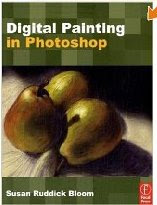
This book definitely crosses over into the realm of Photoshop as an artform, instead the Photoshop cool tricks (boring!) arena...even though you might think some of the finished examples are a little cheesy. Get past that and the techniques are very interesting and useful.
This book is perfect for educators (as well as traditional illustrators who find their clients can't always pay for the time for traditional media illustrations). Screenshots are extremely effective and this book has a lot of them. Most young people are very visual, and of couse, all artists are. I spend lots of extra hours creating screenshots for my students after realizing how effective they are as a teaching tool.
If you are dipping your toes into painting with Photoshop, this book is a great start if you already understand basic Photoshop. It is much better than searching for online tutorials, which half the time are not clearly explained, and the physical book makes for a great reference to keep going back to.
The techniques described are not what you would find just by applying a filter or two. The author spent many hours experimenting with techniques that now you don't have to spend hours figuring out yourself. Whether or not you think all the finished examples are inspiring works of art doesn't matter. These techniques are very useful and I plan on teaching several to my students.
I also enjoyed the respectful discussions of traditional media. I for one would always prefer to use real pastels...when I have a lot of time, but, it would be a huge mistake to not address this digital art form. After all, it still takes an artist to turn these techniques into exciting works of art.
Don't worry, if you are a well-trained artist, your finished products will not look like you were a non-artist who thought Photoshop turned you into an artist, and I especially think that any serious art student who plans on majoring in illustration, graphic design, animation, or art history really needs to be exposed to this aspect of Photoshop.
Tuesday, May 26, 2009
25 Free Online Resources for Art Students
Guest post from Karen Schweitzer who writes for the online schools search section of OnlineColleges.net.
Looking for free design tools, images, or art education? Maybe you'd like to sell and promote your artwork. Whatever your needs are, there are plenty of free resources to be found online. Here are 25 worth exploring:
Free Design Tools
ArtRage - The starter edition of this digital painting software can be downloaded and used for free. The free version includes eight painting tools and the ability to create, save, and print as many images as you'd like.
Gimp - This free image manipulation program, which works with multiple systems, can be used for image authoring, image composition, and photo retouching. editor's note: Limited to what you can do with them, though, since they can not be saved as jpgs.
Artweaver - Artweaver is free Windows-based software that can be used to sketch, manipulate, and enhance images.
Project Dogwaffle - This painting and animation program offers a unique toolset that can be used to draw, sketch, animate, and paint. There is a full version that can be purchased, but the free starter version works almost as well.
Picasa - Google's photo editing software is easy to use and free for all.
Royalty Free Images
Stock.XCHNG - This free stock photo site offers 350,000 stock photos created by thousands of different photographers.
FreeDigitalPhotos.net - You can find thousands of royalty free images for commercial and personal use on this site. Every image is free unless you are looking for an extremely high res version.
Public Domain Pictures - This repository for public domain images is a great place to find free images for personal and commercial use.
iStock Photo - iStock isn't exactly free, but you can get royalty free files for as little as $1 each.
Stockxpert - Like iStock, Stockxpert is a place to buy royalty free photos and illustrations. Image pricing ranges from $1 to $10.
Free Art Education
The Art of Color - This free online course from the Massachusetts Institute of Technology explores the use of color through studio projects and readings.
Intro to Photography - This free online course, also from MIT, provides practical photography instruction in multiple languages.
Media Art - Capilano College of Canada offers four free media art courses online. Coursework is delivered through lectures and assignments.
Creating Interactive Multimedia - Offered free through the University of Southern Queensland, this online course teaches students some of the technologies, tools, and techniques used to create interactive multimedia.
Planet Photoshop - Planet Photoshop hosts thousands of free tutorials that cover every aspect of Photoshop design.
Exploring, Promoting, Selling, and Sharing Artwork
Artition - This social networking site for artists is a good place to meet other people, promote your work, and sell art.
Artbreak - Artbreak is a global community for artists who want to explore, share, and sell artwork online.
ArtId - With ArtId's free membership, art students can create a free gallery, blog, bio, contact form, and guest book. Artists who want to sell art and generate income can upgrade to a paid membership.
MyArtSpace.com - A popular social network for artists, MyArtSpace.com is a place to create galleries and upload artwork. The site also creates opportunities for art students to win scholarships and exhibit art at physical locations.
Miscellaneous Resources
The Pauper - This site is an all around great place for artists. Site visitors can network with other people, sell and promote their work, participate in contests, and read informative articles.
Empty Easel - Empty Easel is a free online art magazine that publishes helpful information for new and advanced artists.
Open Font Library - The Open Font Library hosts free software fonts that can be used, manipulated, and shared for free.
The Digital Art Museum - The Digital Art Museum exhibits artwork and articles from leading digital artists. The online museum also offers an introduction to digital art history.
Digital Art Source - This site is a source for links, articles, interviews, and other helpful resources. The site also hosts a free forum and a selection of books related to digital art.
Tuesday, March 3, 2009
Inspiration for Photography Teachers
The Center for Fine Art Photography is a site to visit for inspiration for themes and images for photography projects (maybe skipping over some of the nudes for K-12 students...). For example, the current exhibit is "Idea of Self". Past exhibitions were "Negative Space", "Our Environment: The Good, the Bad and the Ugly", another is "Interactions", "On the Edge", "After Dark". I'm drawn to this site because here photography is art, not commercial, and creativity is welcome. If you live near Ft. Collins, Colorado, then you are lucky to be able to attend their workshops.
Sunday, January 11, 2009

Students at Big Sky High School in Missoula, Montana has pulled off something as big as, well the Montana sky. With the help of their teacher, Lorilee Evans-Lynn, they have turned their school's literary arts magazine into an international magazine with photography, art and writing submissions coming from high school students all over the world. They even have a board of national writers and poets. Being an art and literary magazine advisor myself, and having to go digital this year since our budgets were drastically cut, and we couldn't get enough people to buy the printed ones, I can just imagine the amount of work that goes into fundraising. Aerie International is truly inspiring. I have several students preparing to submit poetry.
If you didn't get their flyer this year, check out their website and encourage your students to submit. The deadline is February 1st for 2009.
Thursday, November 27, 2008
Your Observations of Digital Natives
We all know the generalizations about Digital Natives: they read more lines of text messages than they do lines from books, they spend more time on Facebook than with their face in a book, they need a constant stream of music to be productive, etc. But, what are your actual observations? I would love to hear from those of you who have a lot of time to observe digital natives.
These are my observations: Digital Natives are not really that impressed with digital art like we were when Photoshop hit the streets. It's fun to make, but they are more in awe with art a mano. After all, they have always had a world of Photoshop art, it's almost 20 years old now. Art by hand seems more of a challenge to them, and highly individual, to many of them, frightenly foreign. Following the lead of the professional graphics world, I create projects for my computer graphics II students that incorporate their drawings. The design world now demands the surprise and individuality of handwork. We can't cheat our students of that experience. My computer graphics students who have taken one or more 2D class have no problem with incorporating one of the scanned drawings into a final digital design, but those that haven't freeze up.
Videos as non-art class projects are so common now that some of my students had 3 videos due in one week for 3 different subjects.
Have you noticed all the handlettering in posters and ads and even commercials that target those under 30? Take a look at these awsome hand-lettered restaurant chalk-boards. Art schools still require some handwork in typography classes.
Most digital natives who are musicians don't make music alone on a synthesizer or with Garage Band. They crave a band and an instrument. Of course, they will always promote their music with posters, videos, myspace, pure volume, etc. And, they will lay down tracks with their recording software. Technology is a convenience that won't disappear.
How do digital native poets get attention now? Sure, thanks to technology they can self-publish with affordable on-demand book publishers, and they can put their work online. But poetry slams are like the pre-technology beatnik poet coffee house readings. In my town, I'm trying to find a space for a young poet to write his poetry on the wall of a gallery with illustrations by his buddy accompanying it. Writing on the wall. Why hasn't graffiti art fizzled out with computers? Just search "wall art" and "murals" on vimeo or youtube.
Art a mano. It must be something primitive that we won't ever let go of, that is, until our opposable tumbs disappear. Of course, we wouldn't be able to see it all without the internet...
My son who is majoring in graphic design (communication arts, actually) just had his 21st birthday. Guess what he asked for. Art supplies, canvases, brushes, paint. Yea, we gave him a wacom tablet, which he didn't ask for, but guess what he is most excited about. He's got a head full of painting ideas and is begging me to let him make art on some of our home's white walls.
He's a fan of the artist blu . That's the subject of another blog.
These are my observations: Digital Natives are not really that impressed with digital art like we were when Photoshop hit the streets. It's fun to make, but they are more in awe with art a mano. After all, they have always had a world of Photoshop art, it's almost 20 years old now. Art by hand seems more of a challenge to them, and highly individual, to many of them, frightenly foreign. Following the lead of the professional graphics world, I create projects for my computer graphics II students that incorporate their drawings. The design world now demands the surprise and individuality of handwork. We can't cheat our students of that experience. My computer graphics students who have taken one or more 2D class have no problem with incorporating one of the scanned drawings into a final digital design, but those that haven't freeze up.
Videos as non-art class projects are so common now that some of my students had 3 videos due in one week for 3 different subjects.
Have you noticed all the handlettering in posters and ads and even commercials that target those under 30? Take a look at these awsome hand-lettered restaurant chalk-boards. Art schools still require some handwork in typography classes.
Most digital natives who are musicians don't make music alone on a synthesizer or with Garage Band. They crave a band and an instrument. Of course, they will always promote their music with posters, videos, myspace, pure volume, etc. And, they will lay down tracks with their recording software. Technology is a convenience that won't disappear.
How do digital native poets get attention now? Sure, thanks to technology they can self-publish with affordable on-demand book publishers, and they can put their work online. But poetry slams are like the pre-technology beatnik poet coffee house readings. In my town, I'm trying to find a space for a young poet to write his poetry on the wall of a gallery with illustrations by his buddy accompanying it. Writing on the wall. Why hasn't graffiti art fizzled out with computers? Just search "wall art" and "murals" on vimeo or youtube.
Art a mano. It must be something primitive that we won't ever let go of, that is, until our opposable tumbs disappear. Of course, we wouldn't be able to see it all without the internet...
My son who is majoring in graphic design (communication arts, actually) just had his 21st birthday. Guess what he asked for. Art supplies, canvases, brushes, paint. Yea, we gave him a wacom tablet, which he didn't ask for, but guess what he is most excited about. He's got a head full of painting ideas and is begging me to let him make art on some of our home's white walls.
He's a fan of the artist blu . That's the subject of another blog.
Friday, November 21, 2008
Course Content Materials for Everyone
MIT OpenCourseWare is an initiative of the Massachusetts Institute of Technology to put all of the educational materials from its undergrad and grad-level courses online, free and available to anyone, anywhere.
Check out this list of 100+ Courseware Links for Artists from artcareer.net.
Check out this list of 100+ Courseware Links for Artists from artcareer.net.
Monday, November 17, 2008
We Love Posters
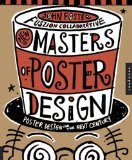
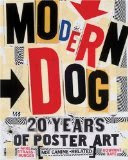
In Graphic Design classes, poster projects are the fudge brownie sundaes of projects. The history of poster design shows that in the effort to be eye-catching creativity is given free range. Lettering can be hand-drawn, composition could include mismatched cutouts. Doodles and tape and the bizarre are welcome.
But we all have students who freeze when given such a chance to show their creativity. I have recently purchased 2 fantastic poster books that I prefer to keep by my bed so I can look at them every night, but my intention is to take them to school for my students.
Modern Dog: 20 Years of Poster Art (Not Canine-Related) is a collection from the Seattle group of cutting-edge poster radicals/comedians. Check out their website.
Masters of Poster Design includes their peers, 256 pages of eye-candy and a book jacket great enough to frame.
Sunday, November 16, 2008
Yes Virginia, There is a Santa Claus
Remember those CG 3D modeled fantasy landscapes that blew us all away about... a decade or more ago? The Bryce software used to create them is now FREE. Yes, legally FREE. It is not the latest version, but if you have been wanting to introduce your CG students to 3D animation software, this is a good gateway. You create a "wire mesh" frame, put a skin on it, control the lighting and see it in multiple directions, and even give it simple movement. It is easy to make your own landscape and 3D objects, after you spend time figuring out how it works.
The only drawback is the slow rendering time, so you need to plan how to render overnight, maybe encouraging the students to download the free version at home as well and using a flash drive, take their work home to render.
You need to go to the DAZ 3d website first, go to support, create an account and request your free serial number. Then you can download it for free at downloads.com
Check out the demo reel .
The only drawback is the slow rendering time, so you need to plan how to render overnight, maybe encouraging the students to download the free version at home as well and using a flash drive, take their work home to render.
You need to go to the DAZ 3d website first, go to support, create an account and request your free serial number. Then you can download it for free at downloads.com
Check out the demo reel .
The. Lens: A Network for Student Photogrpahers
Check out David Gran's latest great idea, a ning for student photographers: http://studentphoto.ning.com/
The photos are excellent and an inspiration to any photography student. They can create a profile, upload their photos, create a slideshow of their photos, leave comments and start discussions and read the blog. Nothing new for them, right? The pool of participants are international. If you are my age, the closest we got to such excitement were those handwritten letters we got back from our foreign pen pal a few times a year.
One especially interesting blog entry by Paddy N is about Graffiti Research Lab
Thanks again David.
The photos are excellent and an inspiration to any photography student. They can create a profile, upload their photos, create a slideshow of their photos, leave comments and start discussions and read the blog. Nothing new for them, right? The pool of participants are international. If you are my age, the closest we got to such excitement were those handwritten letters we got back from our foreign pen pal a few times a year.
One especially interesting blog entry by Paddy N is about Graffiti Research Lab
Thanks again David.
Sunday, August 31, 2008
Burst Mode Photography as An Art Form - Virtual Flip Books
Check out this wonderful presentation of Burst Mode (a.k.a Continuous Shooting Mode) photos on Mediastorm.org. (There is a little gore in the middle.) Is it flip-book animation? stop-motion animation? a category all it's own? I've decided to turn this into a project with my Photography II students. They will put their images in iMovie and add music. I will put all the individual movies into one longer one for our art show. I figure when my students are done, they will really understand the burst mode.
Subscribe to:
Comments (Atom)


