
Thursday, May 20, 2010
What do Graphic Designers Do, Anyway?
Need to be able to explain the career of a graphic designer? The AIGA has a very thorough guide to the careers of graphic designers. For a quicker source, just check out the list with explanations of what kind of projects designers actually work on.


Wednesday, February 24, 2010
New Leslie Alsheimer Book on Black and White Photography and Photoshop CS4
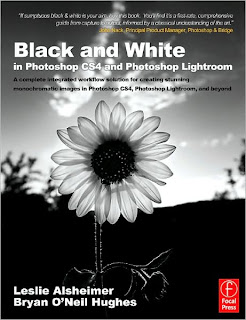
Two years ago I recommended Alsheimer's wonderful and thorough book for perfecting black and white digital photography, enhancing in Photoshop, while also managing your photos with Lightroom. You can read the original review here.
There is now an updated edition for CS4 and the latest Lightroom. If you think there can't be much you can do with creating digital black and white images, you need to read this book. If you have a gazillion photos on your hard drive, but haven't tried Lightroom yet, it's time you do (and read this book). I love Lightroom not just because of it's organizational abilities, but it's sophisticated photo adjustments (called aptly, "developing") are often all I need. Asheimer's insights into the art of digital black and white photography should lead you to some exquisite images.
Paraphrasing Alsheimer, you will need to awaken your inner geek for some of the content, but she does a great job of making you feel at ease if you don't quite get it the first time. There are chapters that I have to reread because I don't always remember all the technical info. But, her style of writing is very comfortable and refreshing, and the book is very well edited and designed, so I never feel overwhelmed or bored reading it.
Monday, February 8, 2010
Suggested Beginning Flash Projects
As promised, I am sharing how I started my Flash unit, using Flash CS4.
For the Sampler, I demoed step one, had them try step one, etc. Demo/try, demo/try, etc. Peer helpers are very important.
Practice Flash Project
The project has at least 4 layers:
1. Dingbat, modified to graphic symbol, moves around stage and distorts as it moves. (Motion tween)
2.Shape morphs into another shape. (Shape tween)
3.Shape appears to move into stage, but actually the shape grows larger. (Shape tween)
4.A shape changes alpha (opacity) from 0-100%.(Shape tween)
Flash Concept Animation
Using what you learned in the Practice Flash project, express one of the following concepts using shapes, letters or dingbats:
1. congestion
2. playful
3. tension or stress
4. lost
5. victory
6. fear
7. perseverance
Requirements:At least 100 frames in length. Must successfully express the idea without words. Use 3 different objects, each on it’s own layer, and at least one motion tween and one shape tween.
Have a peer from across the room critique your animation and make any agreed upon changes. Don’t tell them which topic you chose; see if they can recognize it. Your peer must also check that you put it in your finished folder and named it properly.
For the Sampler, I demoed step one, had them try step one, etc. Demo/try, demo/try, etc. Peer helpers are very important.
Practice Flash Project
The project has at least 4 layers:
1. Dingbat, modified to graphic symbol, moves around stage and distorts as it moves. (Motion tween)
2.Shape morphs into another shape. (Shape tween)
3.Shape appears to move into stage, but actually the shape grows larger. (Shape tween)
4.A shape changes alpha (opacity) from 0-100%.(Shape tween)
Flash Concept Animation
Using what you learned in the Practice Flash project, express one of the following concepts using shapes, letters or dingbats:
1. congestion
2. playful
3. tension or stress
4. lost
5. victory
6. fear
7. perseverance
Requirements:At least 100 frames in length. Must successfully express the idea without words. Use 3 different objects, each on it’s own layer, and at least one motion tween and one shape tween.
Have a peer from across the room critique your animation and make any agreed upon changes. Don’t tell them which topic you chose; see if they can recognize it. Your peer must also check that you put it in your finished folder and named it properly.
Tuesday, February 2, 2010
Visual Literacy: A Conceptual Approach to Graphic Problem Solving

Monday, February 1, 2010
Design Revolution: On the Road to Change the World
Great article from the San Francisco Chronicle that explains design as innovation projects that have made a difference.
Saturday, January 23, 2010
Interviews with Graphic Designers
If you teach graphic design, you may want to share interviews with graphic designers with your classes. Lynda.com has some wonderful ones under their Creative Inspiration section, but it that site requires a monthly fee (well worth it).
Another one, which is also a great example of using object animation, is from the School of Visual Arts, of interviews with designers who were students of Richard Wilde. (Love the target assignment!)
Another one, which is also a great example of using object animation, is from the School of Visual Arts, of interviews with designers who were students of Richard Wilde. (Love the target assignment!)
Good Flash Examples
If you are teaching Flash animation, you probably have bookmarked some excellent Flash interactive sites for examples. Would you please take the time to share them with us? Just add your favorites in the comments section with a short explanation (appropriate for public school viewing, please).
I'm looking for innovative, captivating educational sites for my classroom examples.
Shortoftheweek.com has a Flash category. The Bendito Machines are ones I found there. I always show BM1 at least, and have fun letting the students interpret the meaning. There are 4.
Here is a great one on the MOMA site about their Tim Burton exhibition.
Another one from MOMA, but very different is their What is a Print? interactive
Here is a Flash portfolio site by a very talented student, whose website is titled "okaydave.com"
Another museum interactive for younger children, from the Art Institute of Chicago, has some beautifully done storytelling, for example.
From the Smithsonian, a site about book illustrations
An interactive site about color theory. I use this in my graphic design classes as an alternative to a lecture style lesson about color.
A nice example of Flash poetry, Why do you stay up so late?
Please share what you've found. If you have some successful student Flash sites as well, let us know.
I'm looking for innovative, captivating educational sites for my classroom examples.
Shortoftheweek.com has a Flash category. The Bendito Machines are ones I found there. I always show BM1 at least, and have fun letting the students interpret the meaning. There are 4.
Here is a great one on the MOMA site about their Tim Burton exhibition.
Another one from MOMA, but very different is their What is a Print? interactive
Here is a Flash portfolio site by a very talented student, whose website is titled "okaydave.com"
Another museum interactive for younger children, from the Art Institute of Chicago, has some beautifully done storytelling, for example.
From the Smithsonian, a site about book illustrations
An interactive site about color theory. I use this in my graphic design classes as an alternative to a lecture style lesson about color.
A nice example of Flash poetry, Why do you stay up so late?
Please share what you've found. If you have some successful student Flash sites as well, let us know.
Thursday, January 21, 2010
More Painting with Light
You may want your students to take part in The Carrot Revolution's collaborative project of images created with open shutters and some flashlights. The deadline for entries is March 1st and you should register your class ahead of time. Visit their website for more info. You may also want to follow the Carrot Revolution blog, as well as read this NPR article about the project with student examples. I plan on taking part and will post my students' examples soon. For some more info on light painting, check out this earlier DAE blog post
Color Decisions

Sunday, December 13, 2009
Launch an Arts-Based, Inter-Disciplinary School Magazine


Leslie O'Shaughnessy of Robert E. Lee High School in Virginia, creates an interdisciplinary magazine that involves several departments in the school and excites the student body, staff and administration enough that she continues this every year. Check out the full student-produced E-Zine online.
Here is an overview of the project in her own words:
WHAT does an Arts-Based, Inter-Disciplinary School Magazine include?
• An overarching “theme” or “big idea”
• A format to showcase student art work from Fine Art, Photo, and Computer Graphics areas
• A range of student “Features” from various core subject areas (written commentary, photographs, skits or debates via video, music links, wiki research, etc.)
• An online magazine with hyperlinks produced with InDesign, and a hard-copy accordian-book display.
WHY launch an Arts-Based, Inter-Disciplinary School Magazine?
• To enrich overall student learning through collaborative effort with core subjects
• To provide “real world” magazine design experience to Computer Graphics students
• To fold “literacy” into the Art POS
• To enable participating students to receive credit for “published” work (looks good on college app’s)
• To facilitate the use of technology via an e-zine format
WHERE TO BEGIN to Launch an Arts-Based, Inter-Disciplinary School Magazine?
1. Choose an overarching magazine theme or human issue. (i.e. honoring nature/global warming, peace/conflict, human diversity, heroes, life cycles, etc.) Consider how other subjects can tap into it.
2. Recruit collaborative effort from teachers of other subjects/departments and research standards to tie into the theme.
- Cite the current educational trend emphasizing collaboration/inter-curricular connections (Our principal LOVED this project!)
- Cite the value of showcasing a core department’s work
- Cite professional development (Evaluations)
- Cite strand (No new lesson planning needed)
- Make specific suggestions for tapping-in (Poems, political cartoons, essay excerpt, wiki research, lab results, skits, videos, etc.)
Art students contributed…
- Art 1 students– printmaking cover art, short Environmental Artist article w/photos
- Photo students – Local Community Service article w/photos
- CG 1 students– full e-zine magazine layout, short environmental commentary, original ads
- Advanced CG students–environmental posters
- Pre-IB Gov’t students– Cap and Trade Debate video
- ESOL students– recycling pyramids
- IB Biology students – Wiki research on alternative energy
- Science students– Rising Sea Level models
- French 3 students– video skit about littering
- Spanish 3 students– children’s eco books on video
I recommend 16-pages, including covers, using InDesign
4. Promotion and Exhibit of Final Magazine/Displayed Artwork
- Print-out hard copies and “accordion mount” and display in school Library.
- Post pdf file of full magazine on school website. Exhibit mounted cover artwork in school gallery and art shows.
There is more info on the school's website. For additional info on collaboration or magazine production, contact Leslie: LBOShaughnes@fcps.edu
Thursday, December 3, 2009
Typography Portraits


Check out 45 Amazing Type Faces...not fonts...human faces. Above are examples created in Illustrator by computer graphics I students.
10 Places to Find Photoshop Courses, Tutorials, and Lessons Online
from guest blogger, Karen Schweitzer
Artists who are interested in learning how to work within the Adobe Photoshop program or increase their current skills can obtain a free education online. There are many different sites that provide Photoshop courses, lessons, and tutorials to self-learners. Here are 10 no-cost education resources to explore in your free time:
Photoshop Basics Course - This free About.com course guides students through the basics of Adobe Photoshop. The self-paced course can be taken online or delivered in installments via email.
CreativeTechs 6-Month Photoshop Course - Artists who are interested in learning something new or refining their Photoshop skills can join this free worldwide course that is already in progress. New classes are held each week and take approximately two hours to complete.
PhotoshopCAFE Tutorials - PhotoshopCAFE provides free tutorials that teach artists how to add texture, complete photo projects, work with text, create designs for the web, and much more.
PhotoshopStar - PhotshopStar offers a nice selection of free Photoshop tutorials for intermediate to advanced users. The site also pays artists who submit their own tutorials.
PhotoshopRoadmap - Most of the free tutorials on PhotoshopRoadmap are geared toward pros who are trying to learn advanced techniques, but the site also hosts a few essential tutorials for beginners.
Photoshop Support Tutorials - This popular site offers a wide range of tutorials for various versions of Photoshop, including Adobe CS, Adobe CS2, Adobe CS3, and Adobe CS4.
Psdtuts+ - Part blog/part Photoshop site, Psdtuts+ is a good place to find free tutorials, articles, and videos. The site also hosts a helpful wiki with more than 100 articles.
Pixel2life Tutorials - Pixel2life, which hosts one of the largest collections of free tutorials on the web, caters to graphic designers and webmasters who are seeking a free education. Site users can learn from current tutorials and submit their own to earn free advertising and prizes.
Free Photoshop Book - This free, no-strings-attached Photoshop book includes 25 essential lessons for beginning and professional Photoshop users. The lessons include handy techniques, time-saving tools, practical applications, shortcuts, and other useful information.
Basic Photoshop Lessons - Utah State University offers three free online lessons for students who are trying to learn the basics of Photoshop. Each lesson includes a useful handout, practice exercise, or assignment.
Guest post from education writer Karen Schweitzer. Karen is the About.com Guide to Business School. She also writes about online degree programs for OnlineDegreePrograms.org.
Trippy Notan


Creating Notan designs in Illustrator is less frustrating than using x-acto knives and paper. Next step: applying color theory to Notan designs. The above are Computer Graphics I student examples. This lesson plan and those for other Illustrator projects are available on Teachers Pay Teachers.
Subscribe to:
Comments (Atom)


